Troubleshooting the first ping#
Incident · PC A → PC2 · 100% loss
Both router ports were up/up, and nothing crossed.#
- SymptomThe first ping from PC A to PC2 (
199.19.30.67) failed: four timeouts, 100% loss. - Narrow it downI pinged PC A's own default gateway,
199.19.30.1. That failed too. If a host can't reach its own gateway, the problem is local: addressing, cabling or the interface. Routing hasn't come into it yet. - CheckThe addresses matched the plan, and both router interfaces still showed up/up because each had a cable in it. Then I checked which router port each switch uplink was plugged into. The two uplinks were on swapped ports. Switch1 (Network A, gateway
.1) was in G0/1 (.65), and Switch 2 was in G0/0. - Why that breaks itPC A sent ARP asking for
199.19.30.1, but the router port on its wire was199.19.30.65, on the other subnet. Nothing answered, so the ping never left the LAN. - FixRe-cabled Switch1 → G0/0 and Switch 2 → G0/1.
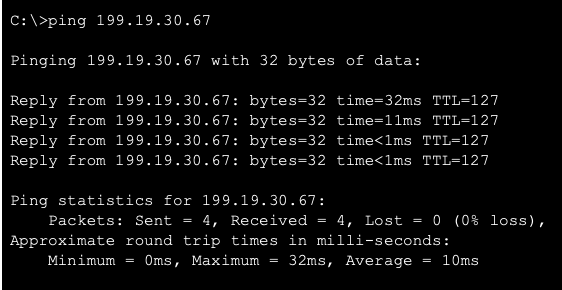
- ResultPC A → PC2 succeeded. All four replies came back with TTL=127.
C:\>ping 199.19.30.67

Pinging 199.19.30.67 with 32 bytes of data:

Request timed out.
Request timed out.
Request timed out.
Request timed out.

Ping statistics for 199.19.30.67:
    Packets: Sent = 4, Received = 0, Lost = 4 (100% loss),
There is no screenshot of the failed run. The block above is Packet Tracer's standard output for four timeouts.
Try it yourself
The ping lab on the home page simulates this network. Set the uplinks to Swapped and ping across R1 to see the same failure. A ping inside the same LAN still works, because the switch never needs the router.
Ping after the fix#
C:\>ping 199.19.30.67

Pinging 199.19.30.67 with 32 bytes of data:

Reply from 199.19.30.67: bytes=32 time=32ms TTL=127
Reply from 199.19.30.67: bytes=32 time=11ms TTL=127
Reply from 199.19.30.67: bytes=32 time<1ms TTL=127
Reply from 199.19.30.67: bytes=32 time<1ms TTL=127

Ping statistics for 199.19.30.67:
    Packets: Sent = 4, Received = 4, Lost = 0 (0% loss),
Approximate round trip times in milli-seconds:
    Minimum = 0ms, Maximum = 32ms, Average = 10ms
TTL=127 means one router hop#
PC2 sends its reply with TTL 128. R1 subtracts 1 while forwarding it, so it reaches PC A with 127. One router between the hosts, as designed.
The first reply is the slowest#
32 ms, then 11 ms, then under 1 ms. The first exchange waits while ARP resolves the MAC addresses: PC A learns the gateway's, and R1 learns PC2's. After that they are cached.
Web access from PC B#
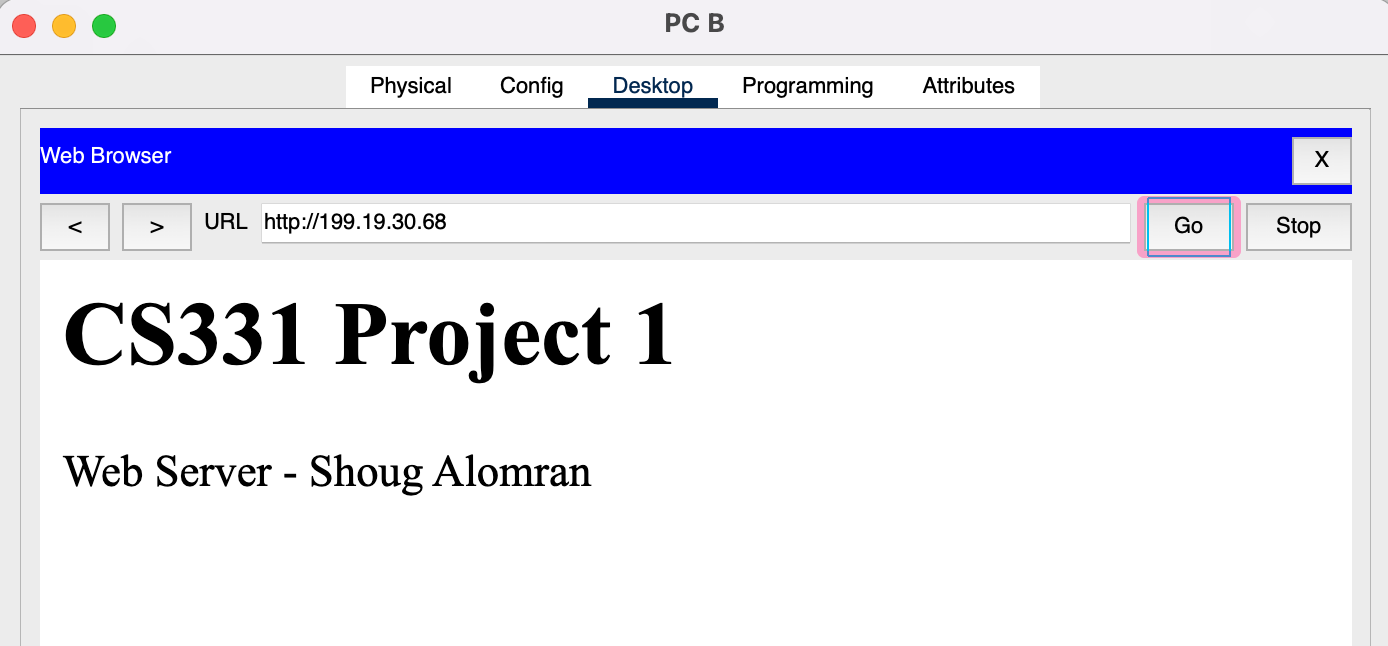
From PC B → Desktop → Web Browser I opened http://199.19.30.68. The page on Server 1 loaded: CS331 Project 1 / Web Server - Shoug Alomran. PC B is on Network A and the server is on Network B, so the HTTP request was routed through R1. That checks every layer of the design together.
Checklist#
| Check | Result |
|---|---|
| R1 G0/0 and G0/1 up/up | Pass |
| PC A → own gateway | Pass, after re-cabling |
| PC A → PC2 (Network A → B) | Pass, 4/4, TTL=127 |
PC B → http://199.19.30.68 |
Pass |