title: Project 1 · Router Configuration
nav_title: Router Config
summary: IOS commands on R1 and interface status
icon: terminal
description: Configuring R1, a Cisco 2901, for CS331 Project 1. Hostname, interface addresses for G0/0 and G0/1, no shutdown, and the show ip interface brief output with both interfaces up/up.
kicker: Project 1 · Router config
hero: Two addresses and no shutdown.
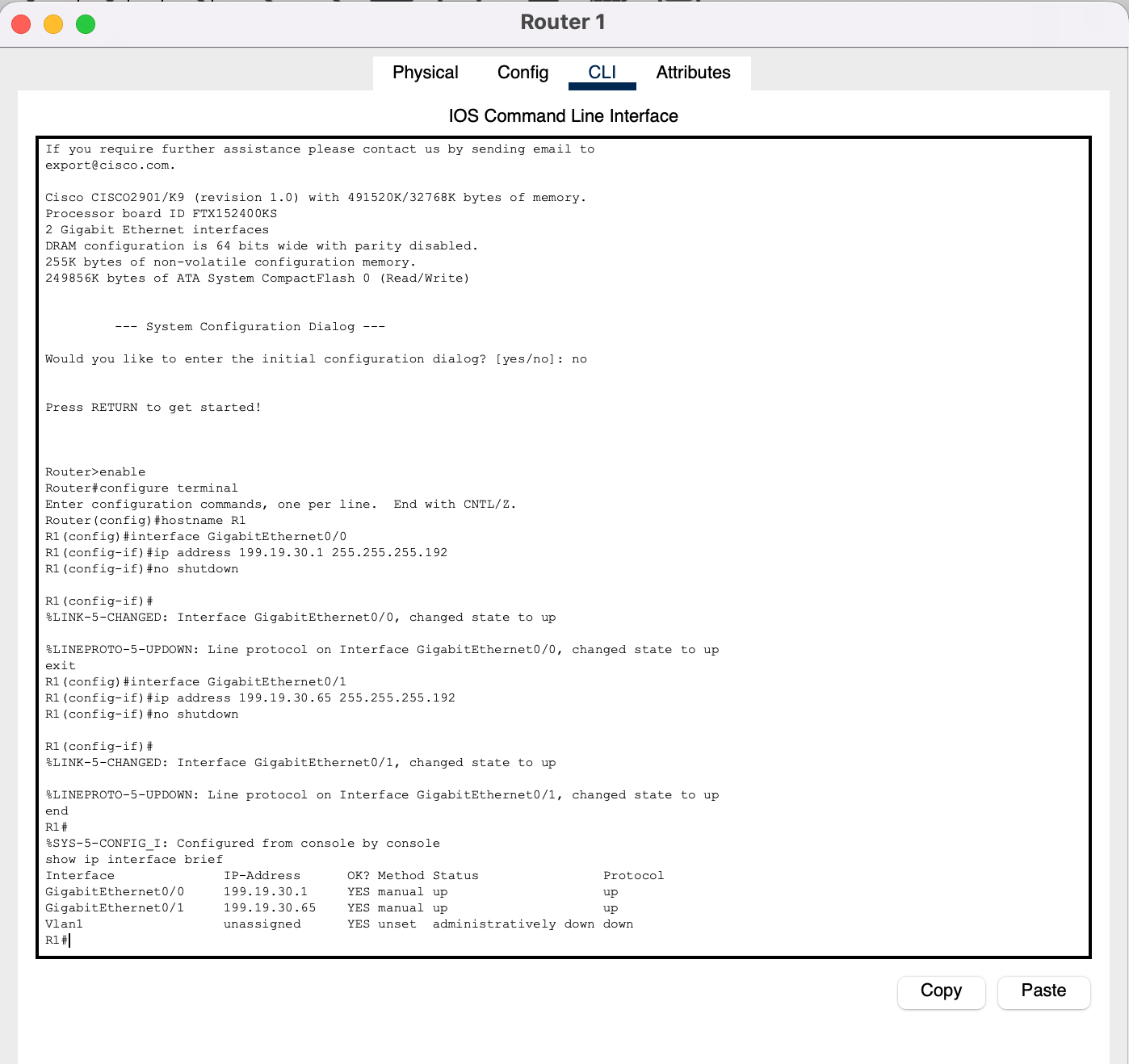
lead: R1 is a Cisco 2901. I configured it from the CLI tab: a hostname, one address per LAN interface, and no shutdown to bring each interface up. Router interfaces are shut down by default.
layers: [1, 2, 3]
chips:
- "Cisco 2901"
- "G0/0 · 199.19.30.1"
- "G0/1 · 199.19.30.65"
- "up/up"
Configuration#
Router>enable
Router#configure terminal
Router(config)#hostname R1
R1(config)#interface GigabitEthernet0/0
R1(config-if)#ip address 199.19.30.1 255.255.255.192
R1(config-if)#no shutdown
R1(config-if)#exit
R1(config)#interface GigabitEthernet0/1
R1(config-if)#ip address 199.19.30.65 255.255.255.192
R1(config-if)#no shutdown
R1(config-if)#end
R1#
| Command | What it does |
|---|---|
enable |
User EXEC (>) → privileged EXEC (#) |
configure terminal |
Enter global configuration mode |
hostname R1 |
Name the router. The prompt changes at once |
interface GigabitEthernet0/0 |
Select the port facing Network A |
ip address 199.19.30.1 255.255.255.192 |
Network A's gateway address with the /26 mask |
no shutdown |
Turn the interface on |
end |
Back to privileged EXEC |
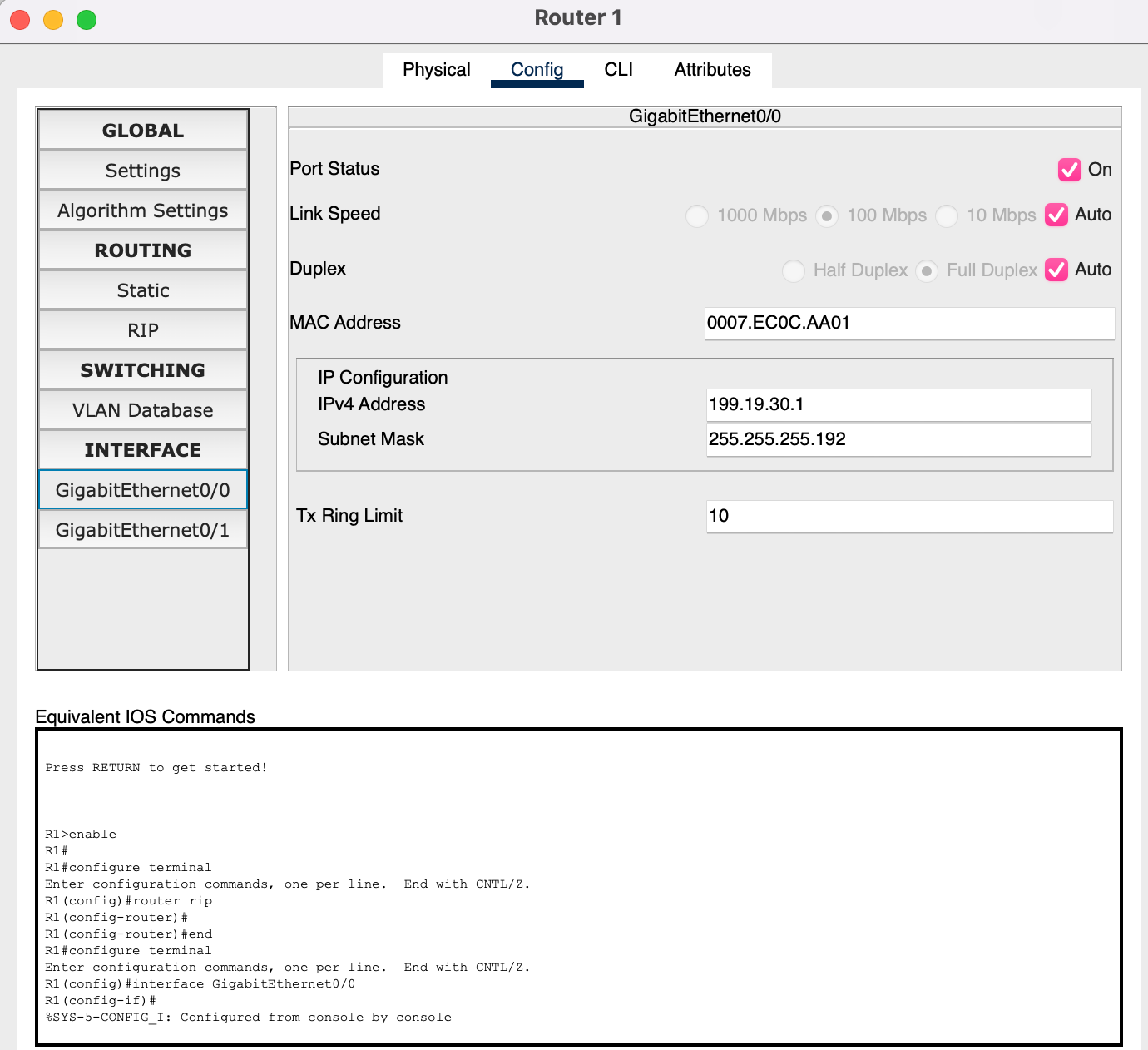
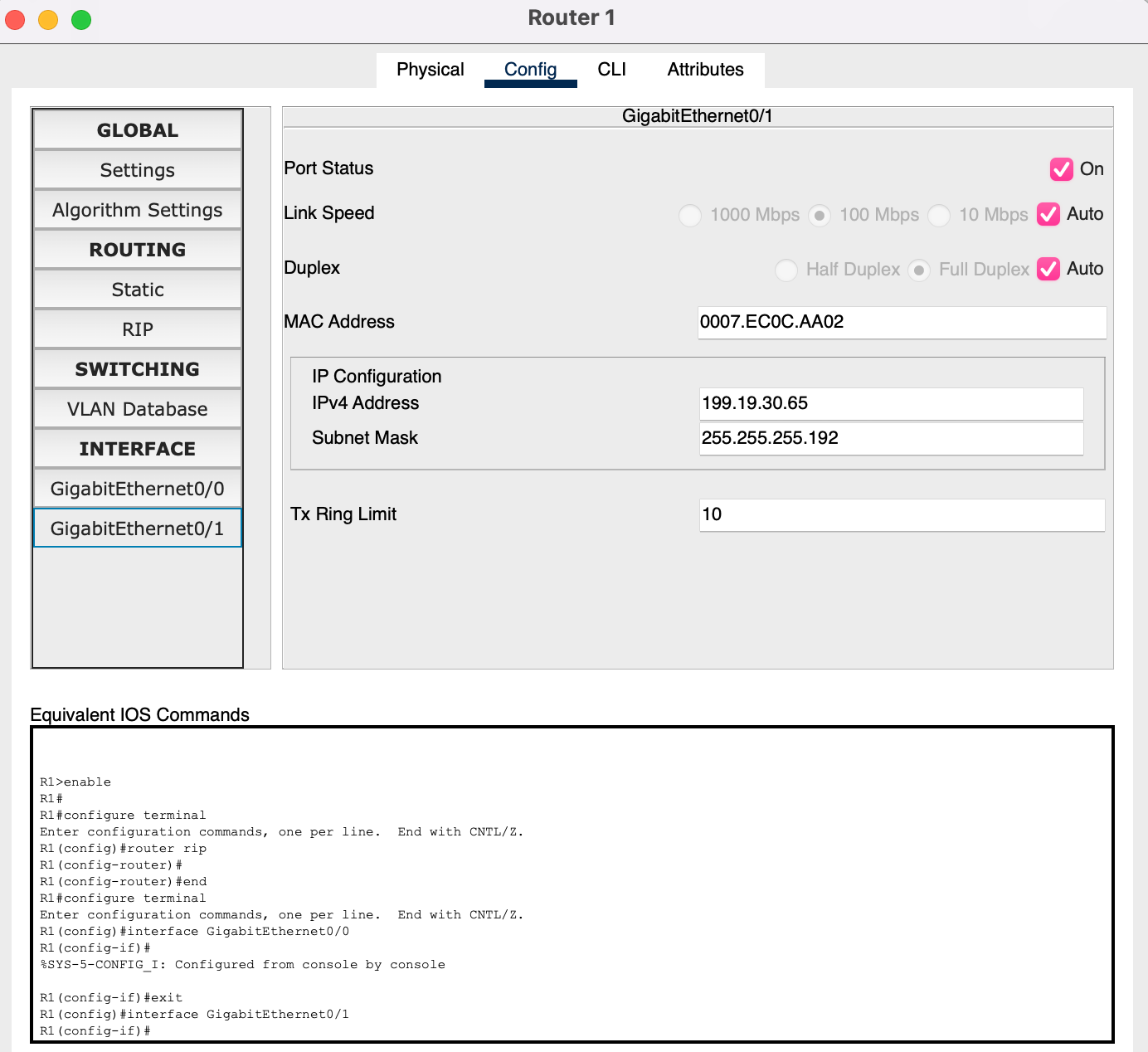
The Config tab shows the same settings per interface:
show ip interface brief#
R1#show ip interface brief
Interface              IP-Address      OK? Method Status                Protocol
GigabitEthernet0/0     199.19.30.1     YES manual up                    up
GigabitEthernet0/1     199.19.30.65    YES manual up                    up
Vlan1                  unassigned      YES unset  administratively down down

Status · up · Layer 1#
A cable is connected and the port has not been shut down.
Protocol · up · Layer 2#
The link is working at the data-link layer.
Saving
copy running-config startup-config (or write memory) saves the configuration to NVRAM so it survives a reload. Packet Tracer also stores it inside the .pkt file.